
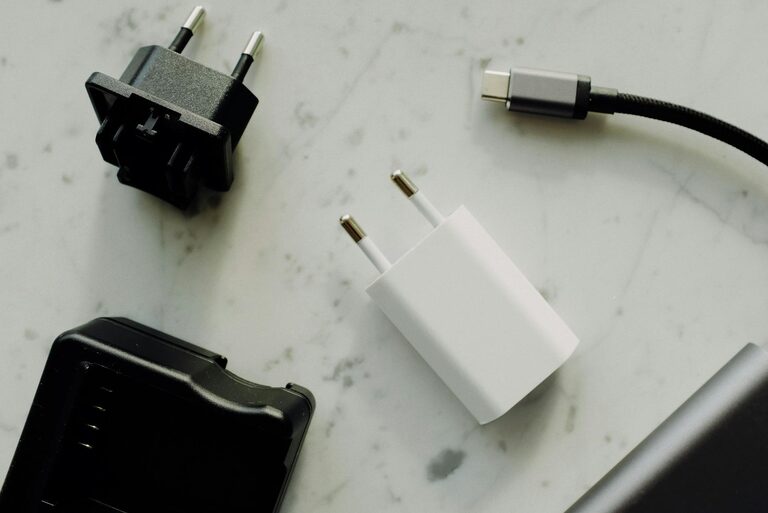
Setting up a dedicated charging station for your devices can simplify everyday life, reduce clutter, and ensure your gadgets are always ready to use. Whether you have smartphones, tablets, smartwatches, or wireless earbuds, creating a central hub for charging keeps everything organized and accessible.
In this post, we’ll guide you through the process of setting up a practical and stylish charging station at home.
Why Create a Charging Station?
With the number of devices we use daily increasing, chargers often end up scattered around the house. This can lead to tangled cords, lost adapters, and wasted time searching for devices to plug in. A charging station offers several benefits:
– Keeps cables and devices organized in one spot
– Reduces clutter on desks, countertops, or nightstands
– Protects devices from accidental drops or spills
– Makes it easy to charge multiple devices simultaneously
– Can be customized to suit your space and style
Choosing the Right Location
The first step is to pick a convenient location for your charging station. Consider these factors:
– Accessibility: Choose a spot where devices are frequently used or stored, like a living room console, kitchen counter, or bedroom dresser.
– Power Source: Locate near a power outlet to avoid extension cords or power strips stretched across the room.
– Surface Space: Ensure the area has enough surface for devices and chargers without causing clutter.
– Safety: Avoid areas that get wet or too hot. Keep the station away from sinks or direct sunlight.
What You’ll Need
To set up a functional charging station, gather the following materials:
– Power strip or multi-port USB charger: Opt for a charging hub with enough USB ports to support all your devices. Charging stations with USB-C and USB-A ports offer versatility.
– Charging cables: Collect the appropriate types for your devices—Lightning, USB-C, micro-USB, etc. Consider short cables to reduce tangling.
– Cable organizer: Use clips, ties, or a cable box to keep wires tidy and prevent them from falling off the surface.
– Device holders or stands: These keep devices upright and visible while charging. Many are designed for several devices at once.
– Storage tray or box: To hold small accessories like earbuds, watches, or adapters.
– Label maker or tags (optional): Useful for identifying cables or devices, especially in shared spaces.
Setting Up Your Charging Station: Step-by-Step
1. Declutter and Clean the Area
Remove any items from your chosen location. Wipe down the surface to create a clean space for your charging station. This helps prevent dust buildup on your devices.
2. Arrange Power and Cable Management
Place the power strip or multi-port charger near the outlet. Avoid overloading the strip by checking its maximum wattage. Plug in your charger hub and, if necessary, route the power cord to minimize tripping hazards.
Use cable organizers like clips or sleeves to group and secure your charging cables. Keeping cables separated prevents tangling and damage.
3. Define Device Spots
Set up holders or stands for each device. This keeps the station organized and makes it clear where each device belongs. If you prefer a minimalist look, a simple flat tray with spaced cables also works well.
4. Connect and Test Devices
Plug your cables into the charging hub and connect your devices. Check that all devices start charging and that cables reach comfortably. Adjust cable length and holder positions as needed.
5. Add Extra Storage
Include a small storage container for device accessories like wireless earbuds, charging bricks, or USB drives. This stops small items from getting lost and keeps the area neat.
6. Personalize Your Station
Feel free to add decorative elements like a small plant, photo frame, or stylish tray to match your room’s décor. This makes the station inviting and fits naturally into your space.
Tips for Maintaining Your Charging Station
– Regularly tidy cables: Untangle and reorganize cables every few weeks to keep things neat.
– Check device compatibility: When adding new gadgets, ensure your charger supports their requirements.
– Use surge protectors: Protect your devices from power fluctuations by using quality surge protectors.
– Label cables and ports: Helps everyone in the household identify what to plug in and where.
– Limit the number of devices: Only charge essential devices here; relocate others to reduce clutter.
Alternative Charging Station Ideas
If space is limited or you prefer something portable, here are a few other ideas:
– Charging drawer: Use a shallow drawer with cable pass-through holes for a hidden station.
– Wall-mounted organizer: Save surface space by mounting a wooden board with hooks and cable clips.
– Charging dock with wireless pads: Ideal for compatible devices, these docks reduce cables even more.
– Portable charging caddy: Great for moving devices between rooms, ensuring you always have power.
Final Thoughts
Creating a charging station at home is a simple project that improves organization and convenience. By following these steps and adapting to your needs, you can enjoy a clutter-free space and keep all your devices powered up with ease.
Whether you build a sleek modern station or a cozy nook, your devices will thank you for an organized place to recharge!